Scaling Autonomous Vehicle Simulation through traceable programming logic
Nobody called it a problem. That was the first thing I had to understand.
 ⚑ Pending Patent
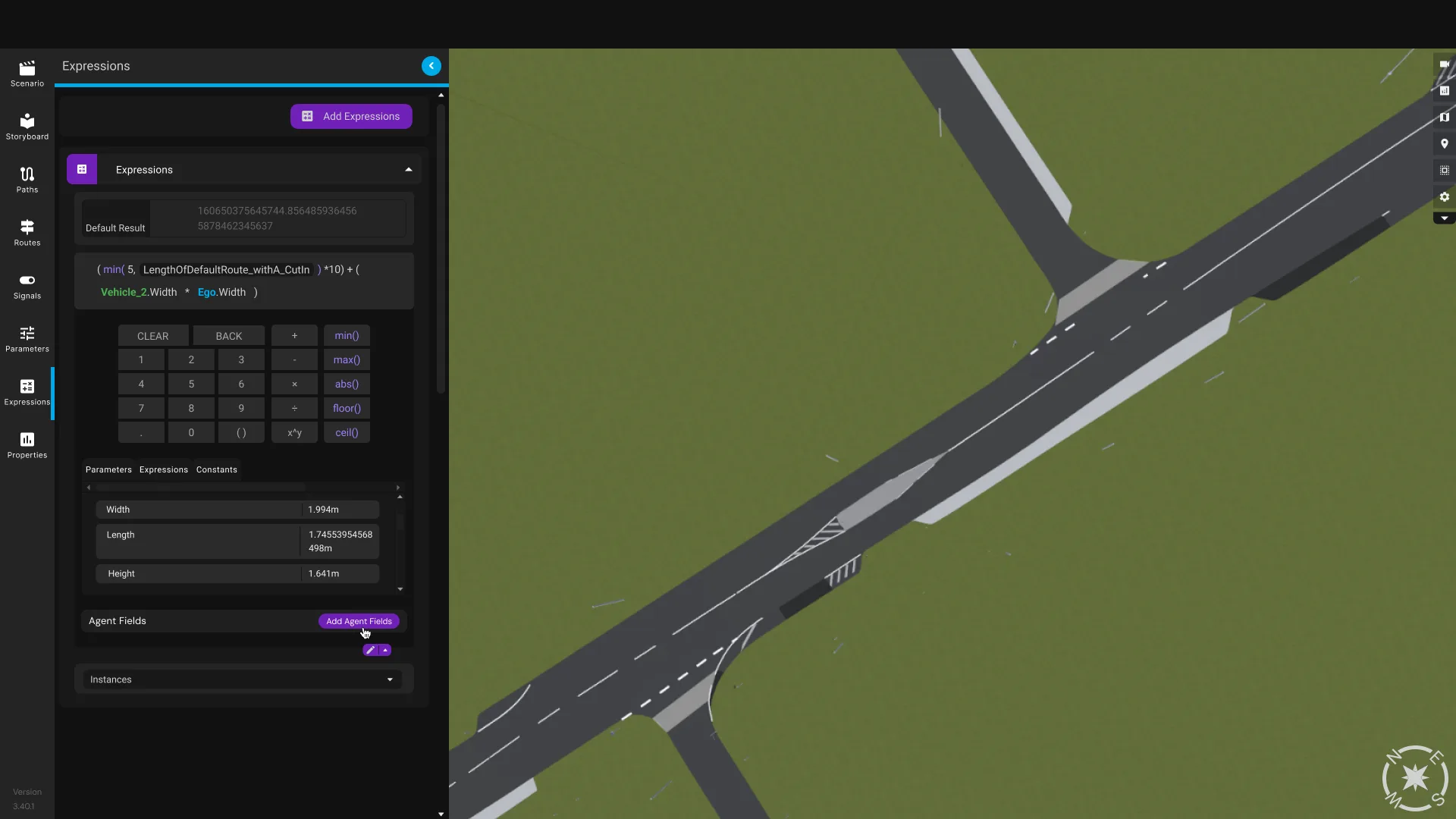
The Expressions Panel — a logic editor embedded directly in the simulation environment.
There was a workaround baked into every engineer's day
Genie is Five AI's internal simulation platform for building autonomous driving scenarios — speed, position, junction behaviour, hundreds of parameters. What it couldn't handle was relationships between values.
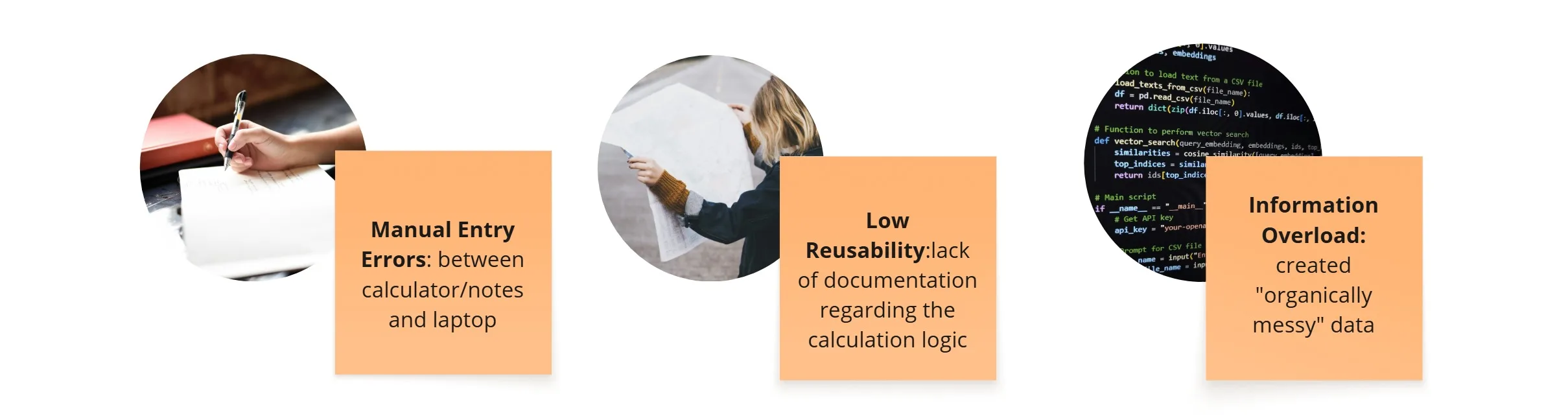
If a value was derived — relative speed, proportional distance — engineers had a quiet ritual: open phone calculator, do the maths, type the result back by hand. It worked. Nobody complained.
In a contextual observation session, I watched an engineer pause mid-configuration, pull out his phone, do some maths, then return to Genie. I asked how often he did that.
"Every single time."
The real problem wasn't the maths — it was the missing memory
I ran discovery across three tracks: user interviews, quantitative analysis of existing scenarios, and usability testing once I had a prototype.
The interviews surfaced something the data couldn't: engineers weren't just doing maths outside the tool — they were losing track of why a value was what it was. A number like 14.6 in a field told you nothing about why it was 14.6. The reasoning lived in engineers' heads, not the system.



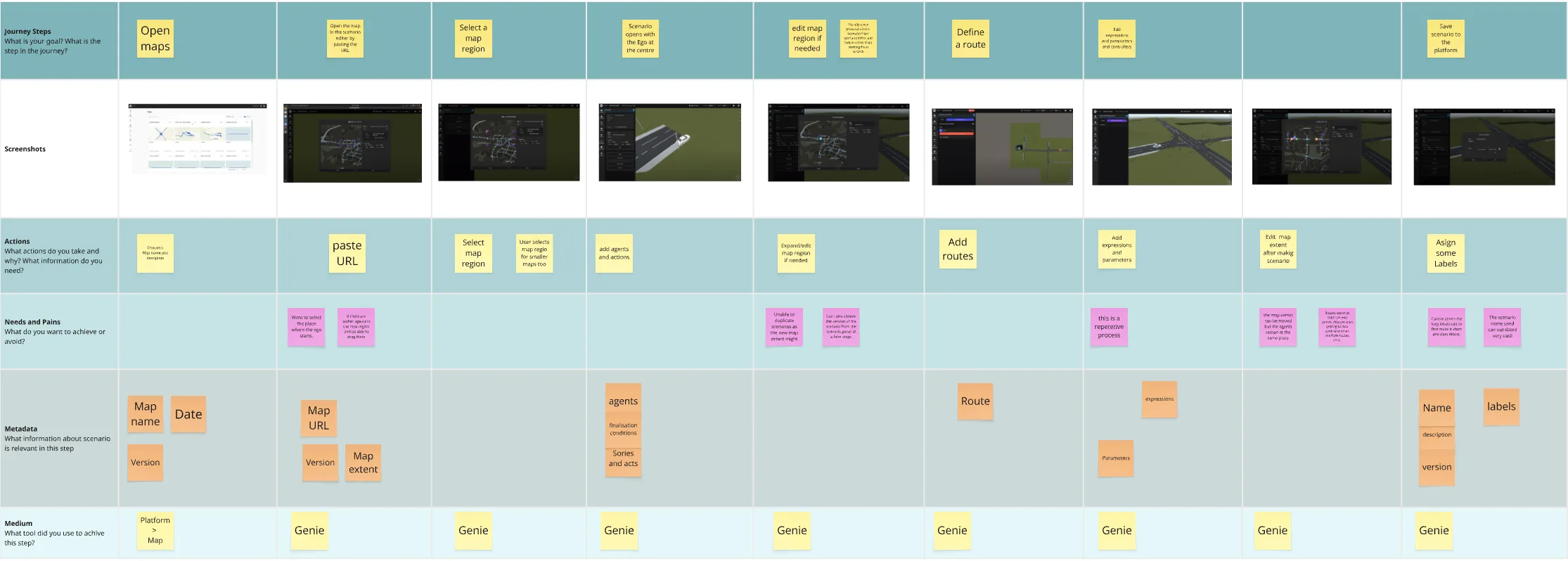
User journey mapping — tracing where engineers left the tool and why.
Key Challenges
The instinctive answer was wrong
The obvious solution was to embed a calculator. I spent a week down that path before seeing the flaw: a calculator produces a result. Engineers needed to express a relationship — one the system could carry forward as scenarios evolved.
"14.6 is an answer. I needed to design a place to store the question."
The Expressions Panel wasn't a calculator — it was a logic editor. That reframe changed every decision that followed.
Five decisions, each made for a reason
Making the case for hierarchy and conflict handling
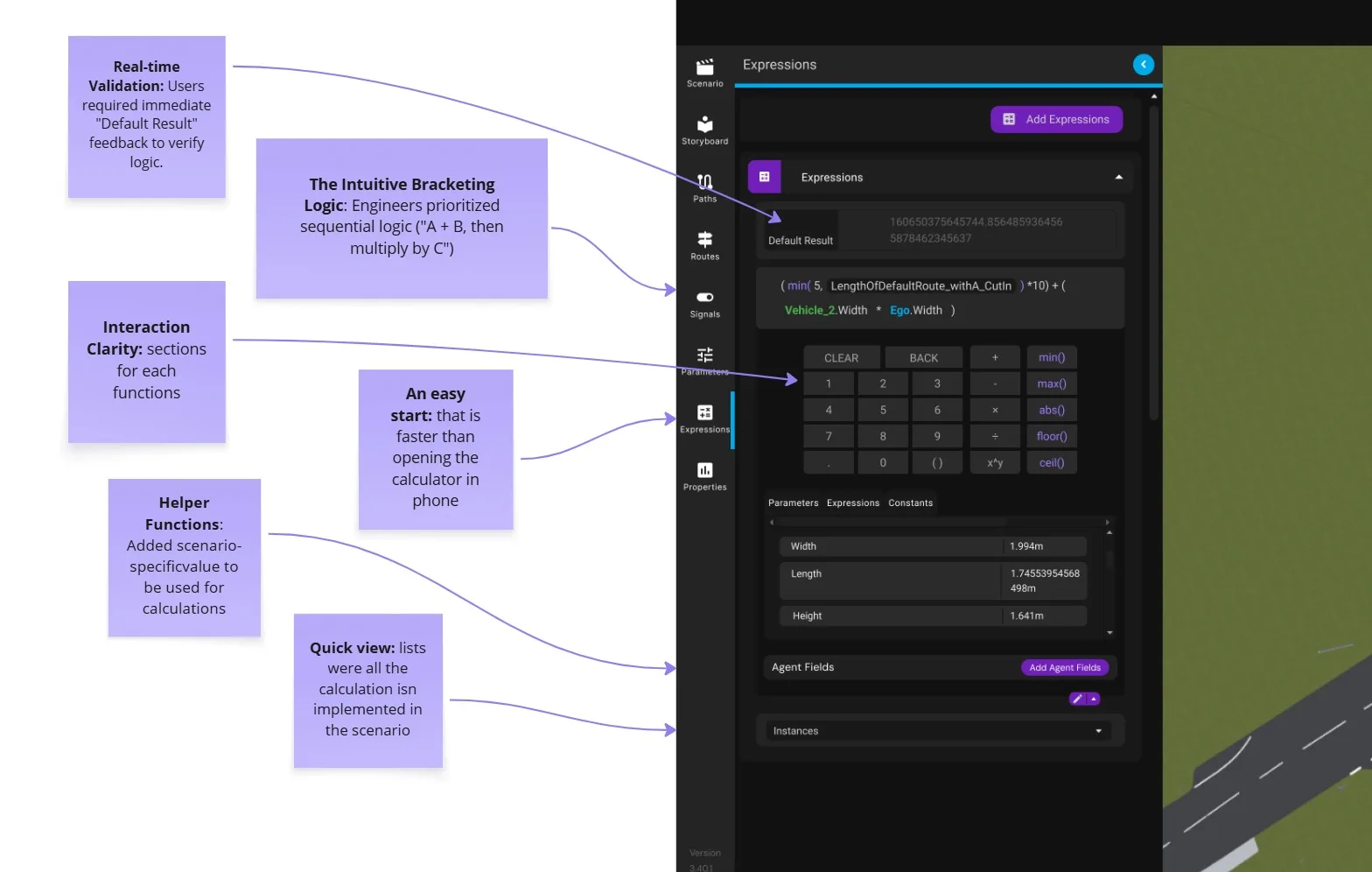
With parameters, expressions, constants, and the calculator all fighting for space, I had to make the case to the product manager and technical lead that the workflow needed more hierarchy — there was simply too much happening on one panel. That conversation led to two changes: colour-coding elements within the formula for easier readability, and an edit dropdown that keeps the calculator hidden until an engineer actually needs it, without hiding the rest of the list.
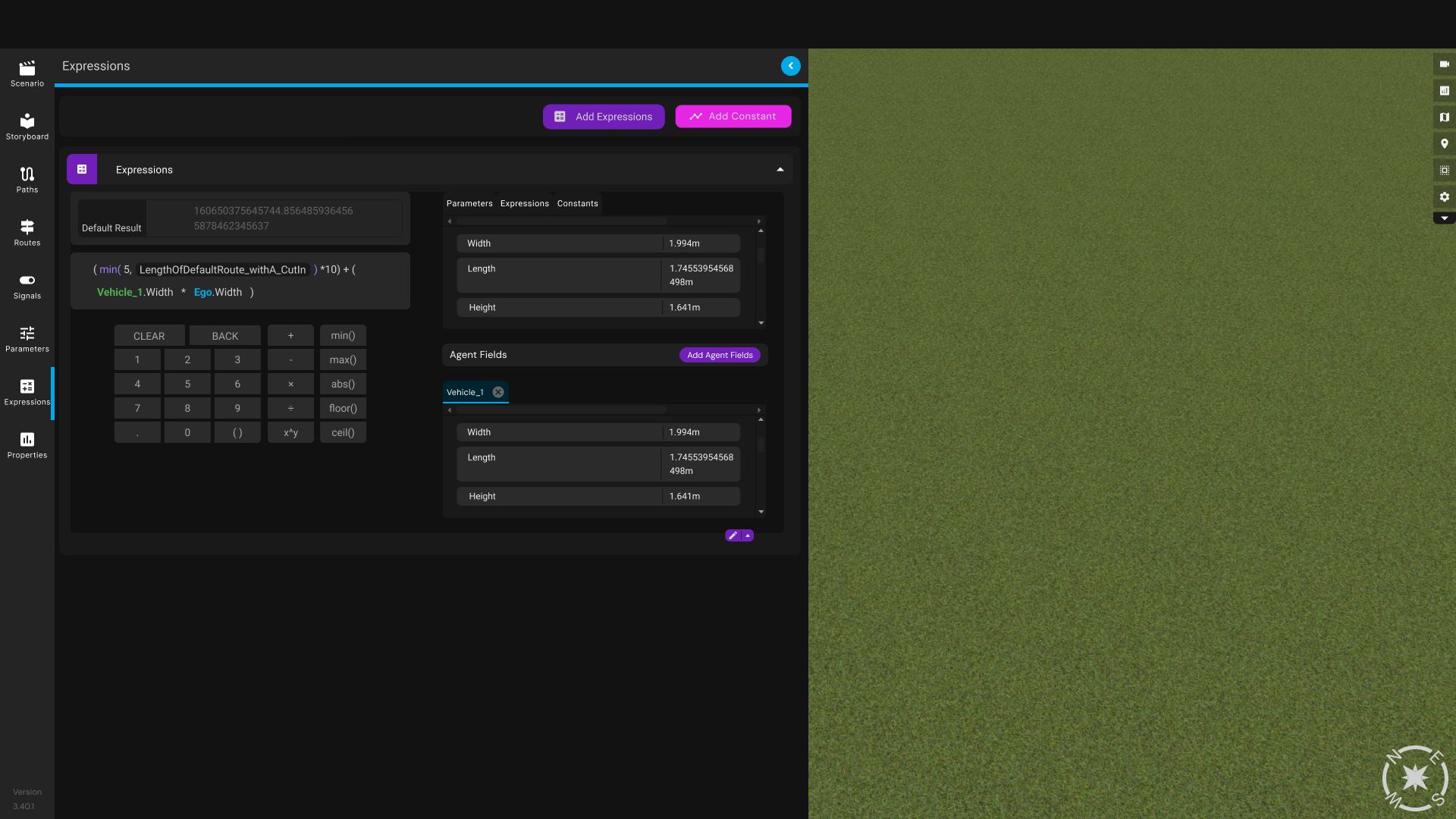
Every section open at once — parameters, expressions, agent fields, and the calculator all fighting for space. I explored several ways to cut down how much space it took so the rest of the expressions list stayed visible; the edit button that unfolds detail on demand is what I finally landed on.
Testing humbled me in the right ways
I ran structured usability sessions with engineers using a Figma prototype. The results forced two significant changes to the design.
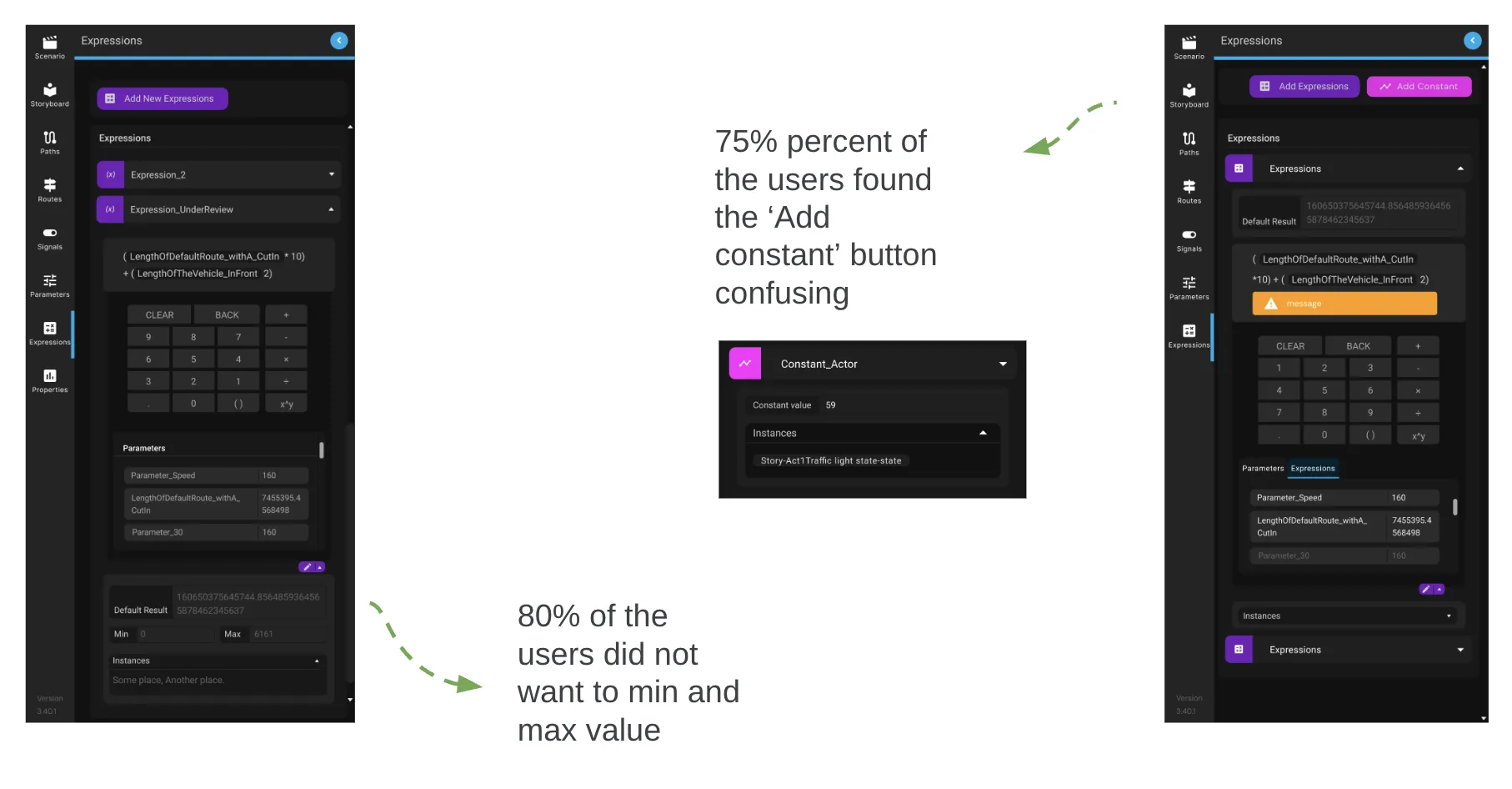
An edit icon I designed unfolds expression detail only when needed — progressive disclosure applied precisely. After launch, engineers said it was the first panel in Genie that didn't feel overwhelming on first open.
Scaling introduced a problem I hadn't anticipated
Expressions could now reference other expressions — meaning A could reference B, which could reference A. Engineers needed nested logic, but unconstrained nesting could make a scenario impossible to evaluate.
The solution: a live validation layer that detects circular references the moment they form and flags them inline. Engineers can nest as deeply as needed — they just can't close the loop. The diagram I made of how expressions reference each other became part of the patent documentation.
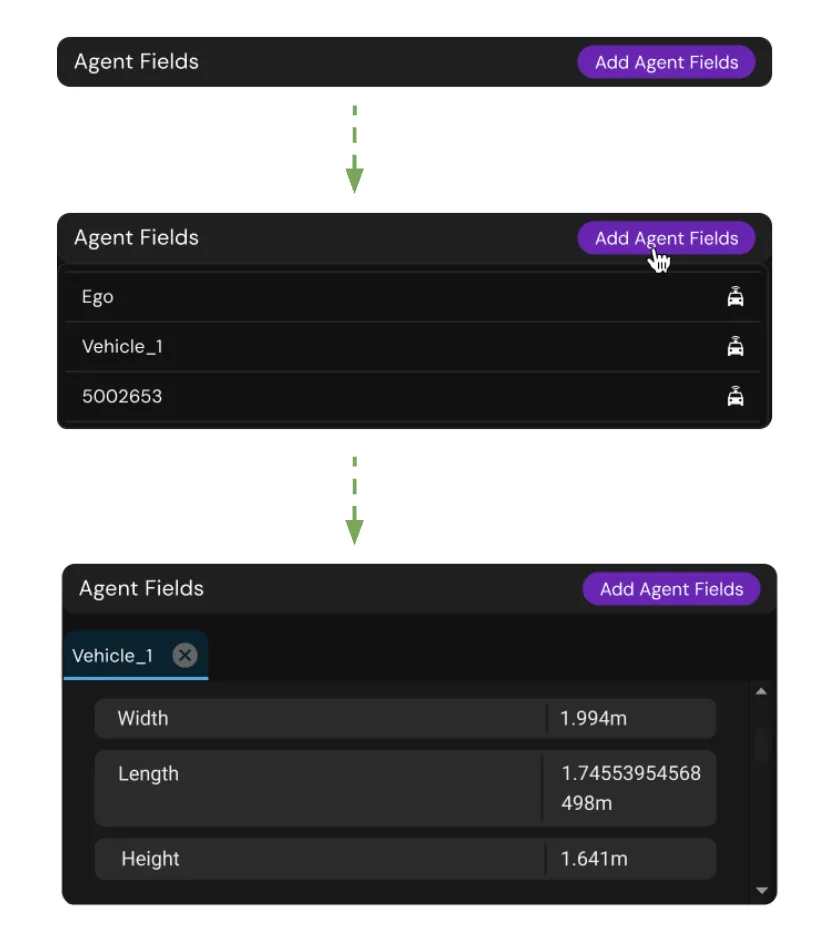
Helper functions — agent fields surfaced directly in the panel.
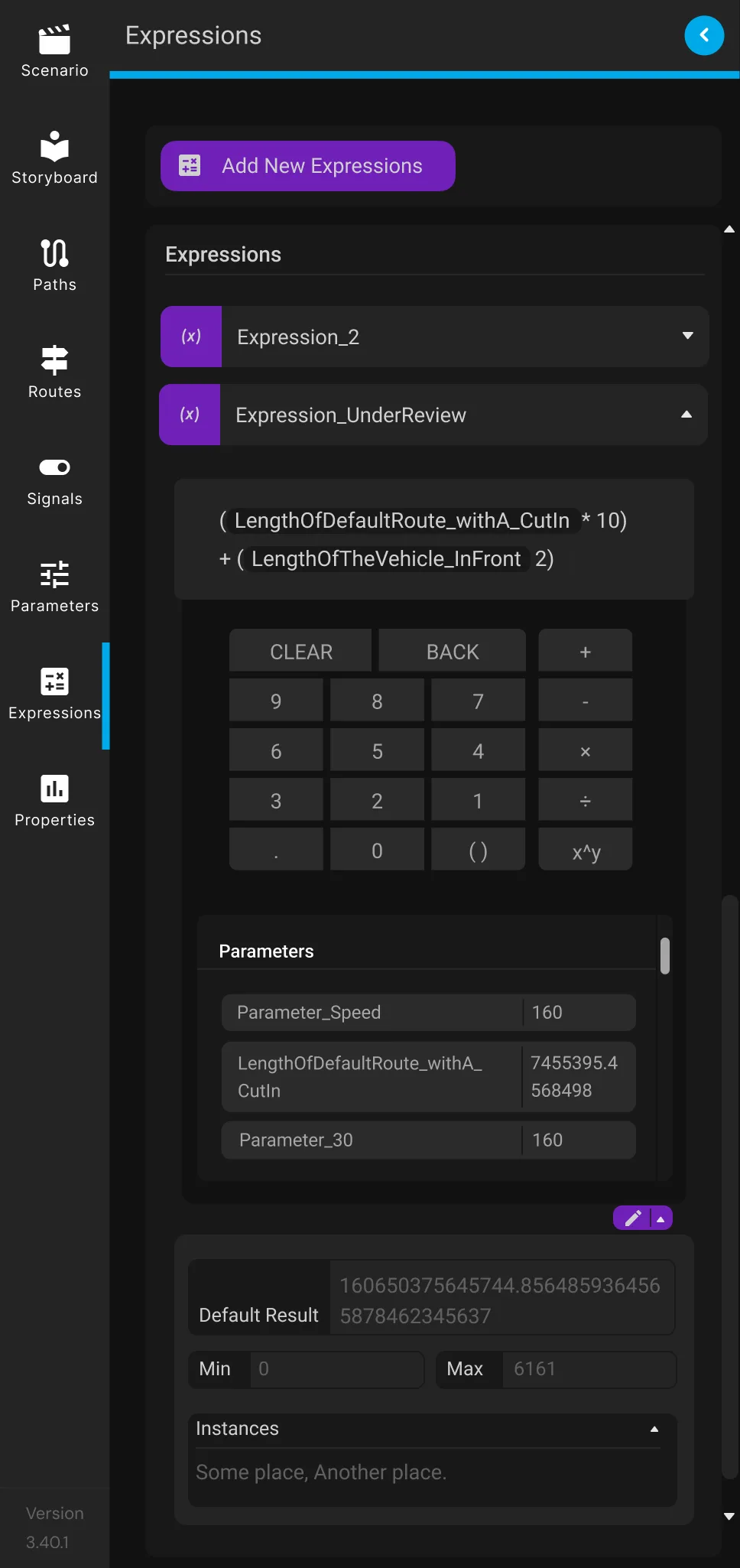
Original panel
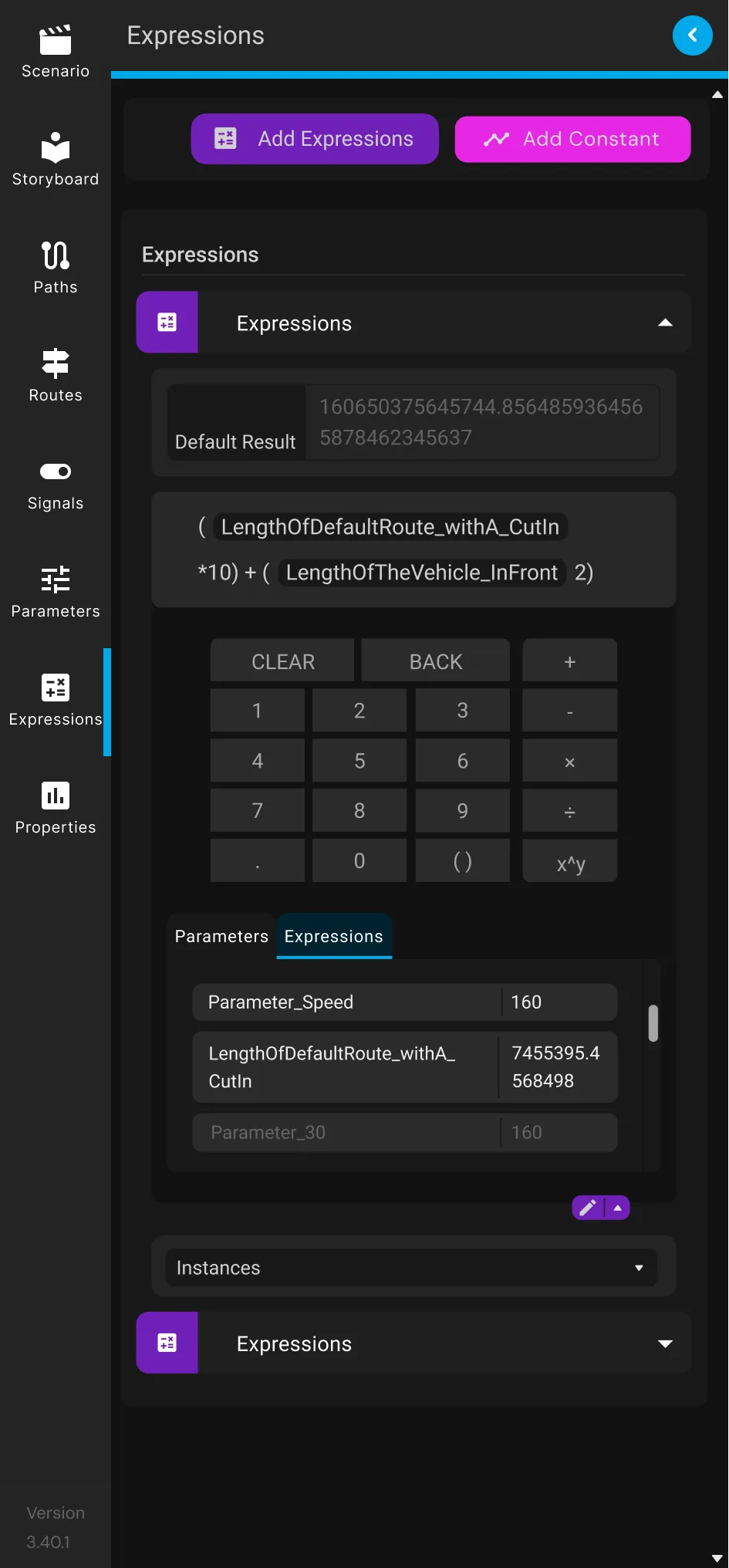
Add Constant surfaced,
Min/Max removed
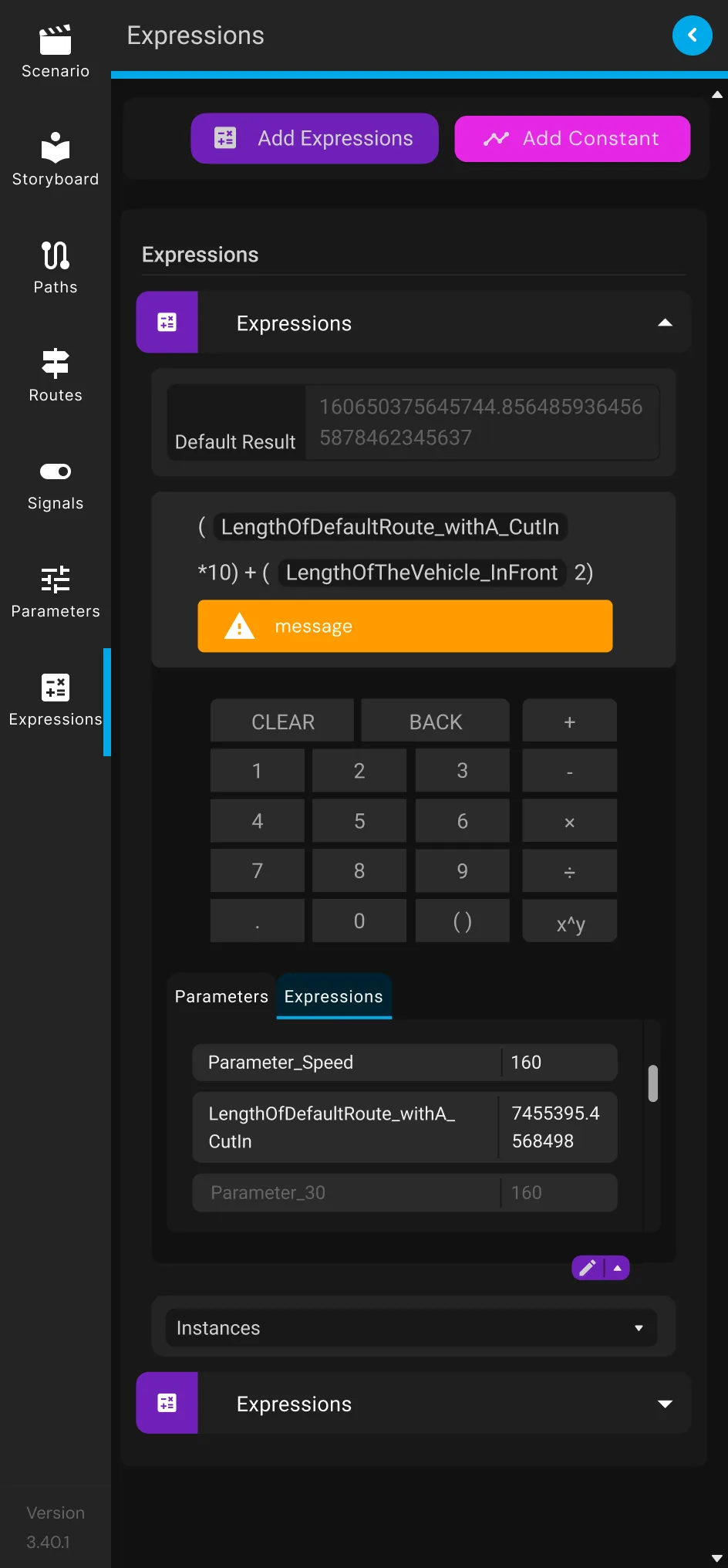
Circular dependency
flagged inline
What it became
The panel shipped October 2021. By 2024, scenario creation was 50% faster, revisions rose 17%, and the work contributed to a published patent. One file now carries logic that previously required dozens.
What engineers said most after launch wasn't about speed — it was that they could finally understand their own scenarios. The logic was visible. That's what the project was about.
The panel still pulls people out of the workflow
The Expressions Panel solved the missing-memory problem, not the interruption — you still leave the scenario to commit a value before you're sure of it. I'd design for that moment.
A calculator that isn't a destination
A floating calculator in the toolbar, one click from anywhere in the scenario-setting phase, would give engineers somewhere to think without committing. Nothing autosaves — only the finalised expression gets sent through.


Styled on Genie's real toolbar and Expressions components. Nothing is saved until it's sent.
Let the Road Ruler feed the calculator
Genie already has a Road Ruler for measuring distances on the map — it's just disconnected from the calculator. Wiring the two together would feed a real measurement straight into an expression.
Genie's existing Road Ruler tool measuring the length of the road directly, instead of engineers eyeballing it separately.